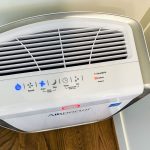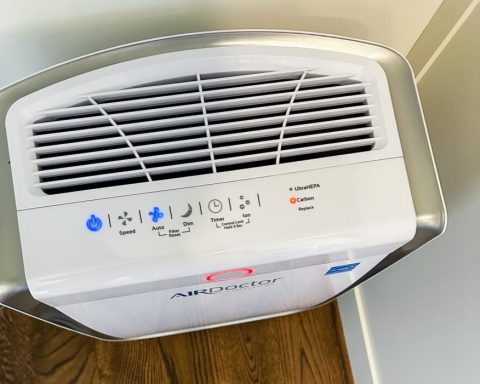

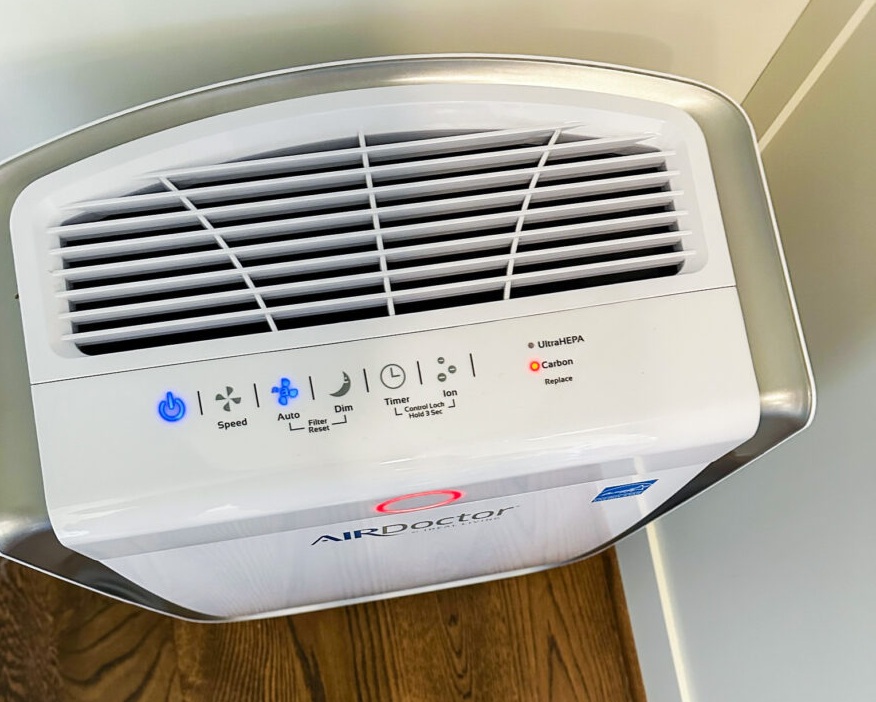
If your AirDoctor has a red light, first check which light you are looking at. The air-quality indicator and the filter-replacement alert mean different things. Resetting a filter reminder will not fix a dirty air-quality sensor.
I would start with the model number on the label, then work through the matching symptom below. A 1000, 3500 and 4000 do not all use the same reset controls.
Checked October 2, 2026. This guide draws on AirDoctor’s published support instructions. HomeVib has not tested every fault or model. Affiliate disclosure: we may earn a commission from purchases through our links, at no extra cost to you.
Find the problem before changing settings
| What you see | Start here |
|---|---|
| Air-quality light stays red; fan runs fast in Auto | Check the room conditions, then clean the sensor as your manual directs. |
| Change Filter alert remains on after replacement | Use the reset instructions for your exact model. |
| Air-quality light stays blue | Blue alone does not prove the sensor is broken. The purifier still filters while running. |
| Weak airflow after a filter change | With the unit unplugged, check packaging, filter placement and the cover. |
| Smart model will not connect | Check discovery mode, a 2.4 GHz network and app permissions. |
AirDoctor stays red or runs on high all the time
In Auto mode, AirDoctor adjusts its fan speed when the particle sensor detects a change. A red light can therefore explain a louder fan. It does not, by itself, tell you whether the cause is particles in the room or a sensor that needs cleaning.
Note when the problem happens. Does it follow cooking, cleaning or a move to another room? That record is more useful than repeatedly switching the unit off and hoping the light clears.
AirDoctor’s sensor-cleaning instructions give this procedure:
- Switch the purifier off and unplug it.
- Find the sensor cover on the side of the unit. Check your manual for the location.
- Open the cover and locate the sensor lens.
- Clean the lens gently with one end of a cotton swab dampened with water.
- Dry it with the other end. Do not scrape it with a hard object.
Use the instructions that match your machine. Do not pour or spray water into the sensor opening.
If cleaning does not help, AirDoctor’s red-sensor troubleshooting page describes a check in a small unused room with the doors and windows closed. It calls for a high-speed setting first, followed by 60 minutes in Auto, then checking the color. Choose a dry space where the unit’s required clearances can be maintained. If it stays red, contact support rather than assuming the sensor needs replacing.
AirDoctor filter light will not turn off
Reset the reminder after replacing the appropriate filter. Clearing the light does not restore an old filter, and buying another filter is not the first answer when you have just installed one.
| Model named in AirDoctor’s instructions | Published reset method |
|---|---|
| AD1000 | Hold Ion and Dim together for 5 seconds, until the alert turns off. |
| AD2000, AD3000 and AD5000 | Hold Auto and Dim together for 5 seconds, until the alert turns off. |
| AD3500 | The 3000/3500 filter-change instructions also specify Auto and Dim for 5 seconds. |
| AD4000 | Check the exact manual or ask support. The online instructions conflict, as explained below. |
| Other versions, including Smart models | Use the matching manual. Do not assume a similar model name means identical controls. |
Sources: AirDoctor’s filter-light reset guide and 3000/3500 replacement instructions.
About the 4000: AirDoctor’s June 2025 answer says the light clears automatically after new filters are installed. Its October 2025 replacement guide instead refers to holding a button to reset it, without naming that button. I would not guess a button combination from those two pages. Use the 4000 manual for your version or ask AirDoctor to confirm.
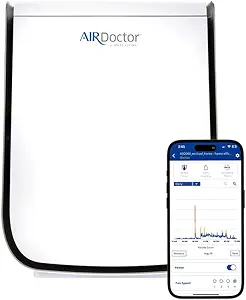
For supported app-connected units, AirDoctor’s app instructions say to select the device, scroll to the bottom and tap Reset for the filter you replaced. A reset made on the control panel should update the app automatically.
The light is always blue. Is it still filtering?
Yes, AirDoctor says the purifier continues filtering when it is on, including when the indicator is blue. Its blue-sensor guidance also says the sensor detects particles, not VOCs. A blue light is not an all-clear reading for every pollutant in the room.
If the display seems stuck, start with the cleaning procedure above. I would not deliberately add smoke to a room just to make the indicator change. If it still appears unresponsive, send support a description of what you observed.
Airflow seems weak after changing the filters
Switch off and unplug the purifier before opening it. Check that protective plastic has been removed from the new filters, that their airflow markings match the installation instructions, and that the cover is seated correctly. AirDoctor’s filter-change guide specifically calls out removing packaging and following the arrows.
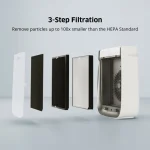
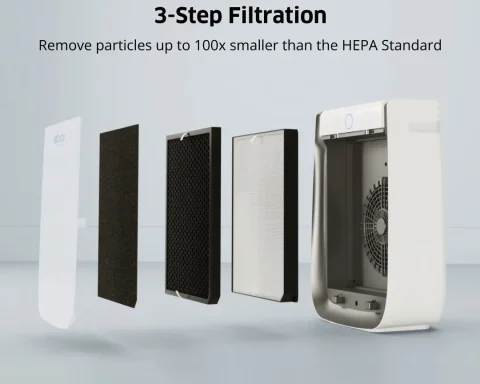
Check the pre-filter too. AirDoctor’s maintenance guidance says the pre-filter can be cleaned, while the carbon and UltraHEPA filters should be replaced. Do not wash the inner filters to try to recover airflow.
Before ordering replacements, match the pack to your model. Our AirDoctor filter-cost guide compares the filter groups and running costs.
The AirDoctor Wi-Fi network does not appear
This applies to connected models. AirDoctor’s network troubleshooting instructions say to check for a blinking Wi-Fi light, use a 2.4 GHz network and update the app. If discovery mode is not active, use the model’s Wi-Fi control as directed.
The same guide recommends restarting the purifier and phone, then trying setup again. It also lists phone permissions that may affect discovery: Precise Location on iPhone, and Location plus Nearby Devices on Android. Review the permissions requested by the official app; phone menu names can vary.
When to stop and contact AirDoctor
If the unit will not power on, has a damaged cord, smells burned or makes a new grinding noise, stop using it. Do not open the motor or electrical housing to investigate. A filter-reset sequence is not an electrical repair.
Before contacting AirDoctor support, collect the exact model and serial number, a photo of the indicator, the date of your last filter change and the steps you have tried. For a noise problem, a short recording can help explain it.
Questions about the Ion button are covered separately in our AirDoctor ionizer and ozone guide. For help identifying where your model sits in the range, see the AirDoctor model comparison.